 |
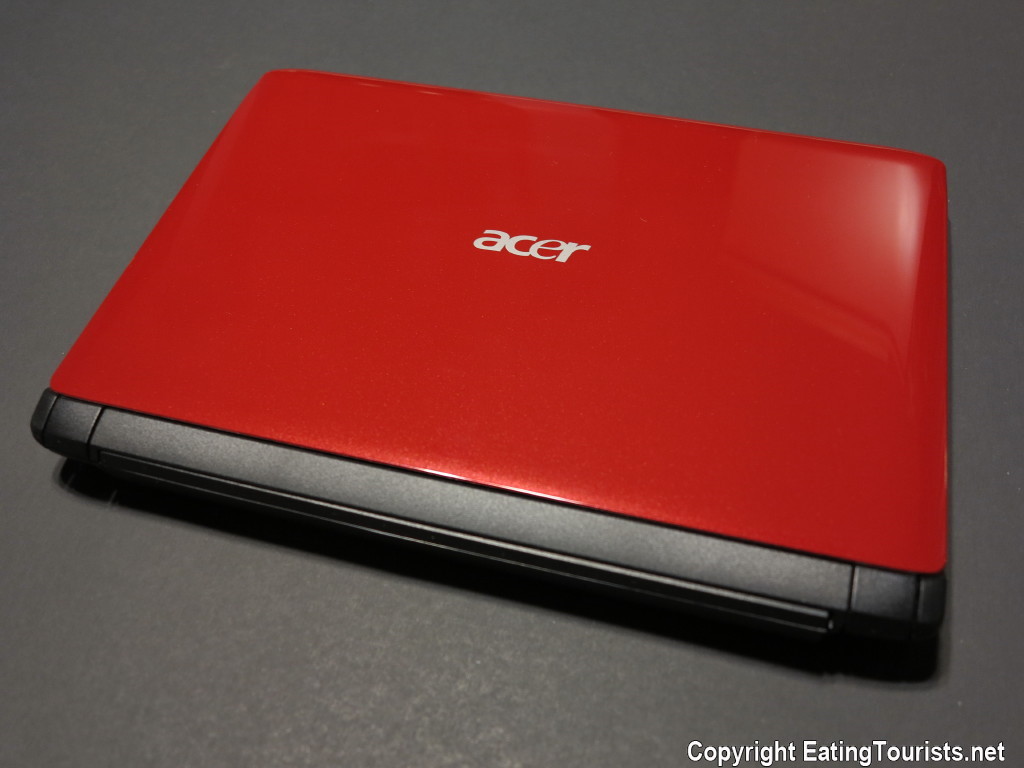
| My 10.1" Acer Netbook |
 |
| Remember when mobile devices had keyboards? |
I was horrified when Microsoft yanked all support for XP and I really tried to tough it out despite the dearth of security updates, but eventually my computer started acting weirder than I cared for and I had to face facts. I was thus ultimately forced to deal with replacing all my computers, and this gave me the perfect opportunity to attempt to resurrect my dream travel computer: the long dead Acer.
Now before we get into this, I can guess what you want to ask: Why didn't I just go out and buy a modern miniature laptop, and be done with it? Why go through all the incredible hassle and expense to resurrect a dead antique netbook?
Well for one thing, I really hate to lose, and the dead but otherwise perfect Acer netbook had been galling me for five years...and oh yeah... also because of happiness. Happiness you ask? What does that have to do with smashing your head against a wall and spending 200 bucks to bring a dead vintage netbook back to life?
Well, it's very simple: Happiness comes from being in a state of “Flow.”
To make a great book short, the author Mihaly Csikszentmihalyi (pronounced: chick-SENT-me-high) wrote a scholarly assessment of where exactly it is that happiness comes from, and it comes from “flow.” (See this link for his book "Finding Flow" which I highly recommend). ”Flow” is his term for the condition of being fully engaged with an activity that presents a challenge. After decades of research to determine what it is that people do that produces lasting happiness, he discovered the following: First he found that people were almost universally happy while eating, having sex, and watching movies. No surprises there, but those are all comparatively fleeting activities in the grand scheme of things and tough to keep up all day every day. So other than the “Big Three”, what made for lasting happiness? What he found was that lasting happiness resulted from facing a significant challenge with a level of skill well matched to that challenge, and then receiving feedback regarding one's success. This challenge did not have to take the form of a paid occupation or job, but he found that for many it often did. That is to say that the only thing in the lives of many people that gave them any kind of regular dose of the “happiness triangle" of "challenge-skill-feedback" was their occupation. This was ironic, because most people think that if they could only win the lottery and quit their jobs, they'd be happy. (This is unlikely, because there is no challenge at all in being rich and doing nothing).
Even though it's often an occupation that brings the only real lasting source of happiness into people's lives, it could also be a hobby, like painting or photography, or maybe even rock climbing. As long as the challenge and skill are well matched. (If it's too easy, it's not satisfying, and if it's too hard, it's stress inducing). To be in a "state of flow" (fully engaged in a task that is being met with just the right level of skill - what sports-people often refer to as being "in the zone") is where real lasting happiness comes from. Finally, there needs to be some sort of feedback as a measure of success. Perhaps the painter sells a painting at a craft fair, the photographer gets online kudos from posting pics to a blog, the rock climber makes it to the top of a challenging cliff, and even the worker at his job might get a raise, or at least a pat on the back. The glow you carry with you from these accomplishments is with you every minute of every day. True lasting happiness.
So the long answer to the short question is: I chose to rebuild the antique netbook because it was more challenging than buying a new one, and would therefore make me happy...and it worked! I had more fun than a barrel of monkeys, even though (really because) it was at the very limits of my abilities. I'm no computer guy, and it took everything I had to pull this off.
So the next time you're unhappy, and looking for a lasting cure, look around for a real challenge. The happiness is right there, just waiting for you to come and get it.
WARNING! - Read on for the picky details of the netbook resurrection project ONLY if you meet one of the following conditions:
A) You REALLY love computers.
or
B) You are an insomniac in need of a powerful sleep aid.
Still here? OK then. I started the netbook rebuild from the assumption that the netbook was dead as the result of a bum hard drive (Hitachi 160GB 5400 RPM SATA II that had been killed -- like so many other electronics -- by the conditions in Mexico. This stuff was just never meant to work at 95% humidity). So I decided that I'd be best served by first replacing it with a solid state drive (SSD) and I chose the Samsung 840EVO 120GB. At the time I was unaware of the algorithm problem with this drive that produced very low read speeds on older data, but fortunately the firmware revision fix was issued by Samsung (download here) right about the same time that I bought the drive and all ended well. (It looks like the Samsung 850 Pro may have overcome these concerns, and it would be my new choice if I had it all to do over again).
Second, I needed to decide on an OS, and it seemed that Windows 7 Pro was the obvious choice. I knew that this netbook (called an Aspire One but more properly the Acer NAV50) had been available with Windows 7 Starter 32bit (despite my preference at the time for XP) so I set out to locate a copy of Windows 7 Pro 32 bit, reasoning that it would be likely to work and that the drivers for it would still be available on the Acer website. It turned out that finding a legitimate clean copy of the OS was not easy, and so I turned to my friend Trevor at Qwerty Computers for help. He directed me to techverse for a clean ISO file download, but asked why I wanted to go with the 32 bit version. It seemed obvious to me, since the netbook had never been sold with a 64 bit OS, but he convinced me to aim high and try to install Windows 7 Pro 64 bit, and damned if it didn't work! Now I was looking at a super clean (bloatware free) install of Windows 7 Pro 64 bit on a screaming fast SSD. So far so good.
I jumped through some crazy hoops to create a bootable USB flash drive from which to install the OS, since I knew that if I ever had a catastrophic failure while travelling, I could (if necessary) exercise the “nuclear option” and re-install the OS from scratch, and then restore the SSD from a system image file on my travel external backup HD, and I'd be back in action. Then I tracked down a 2GB stick of RAM to double the available memory (sadly 2 GB is the limit here) and I was ready to start updating the OS, and installing software. I was stymied by the fact that there were no 64 bit drivers available from Acer for this machine, so I crossed my fingers and hoped that Windows would come to the rescue. Say what you will about Microsoft, their stuff works, and sure enough, every single driver that mattered to me came down the pipe with the 120 or so Windows 7 Pro updates that I needed to install. (Note: If you are running Windows 7 of any type, be sure to take advantage of some very useful fallout from Windows 8.1, and install the Disk Cleanup Wizard add-on that is now available. This update allows you to remove all the superseded (and useless) updates that have piled up on your SP1 version Windows 7. Dramatic speed improvements will be the norm after you install and run it).
Next I installed the single most important piece of 3rd party software in existence (in my humble opinion) -- the truly awesome “Classic Shell.” Classic Shell overcomes pretty much every mistake that Microsoft has made in “improving” the interface of their post-XP offerings, and in short order I had 7 Pro looking and acting like Windows 2000 Pro (maybe the best Windows OS ever). Then after a failed flirtation with installing Chrome 64 bit as a browser (it does not yet work with Google Talk, which is indispensable to me on the road) I went back to Chrome 32 bit. Top of the line anti-virus, and anti-malware software were next, followed by a string of tests and performance tweaks to wring every single ounce of speed out of the venerable architecture that I had to work with. I minimized the start-up items, disabled services by the dozen, and reduced graphics intensive features to zero. I also installed and enabled the incredible Rapid Mode software from Samsung that produces sequential read speeds in excess of 440 MB/s, and set up an 11GB “over-provisioning” partition on the SSD. Then there were the registry hacks to increase the available resolution of the monitor, and disable the super-fetch and prefetch features as required for SSDs. I also enabled “click to play” in Chrome, which cuts down dramatically on graphics-heavy ad material. This is to say nothing of disabling system restore and the defragmentation function (both SSD issues). In the end the machine sports a 25 second boot to desktop time.
Finally, I swapped out the enormous and heavy 9 cell battery and replaced it with a new slim and lightweight 3 cell battery. This provides more than enough power for my needs, especially with the vastly decreased power needs of the moving-parts-free solid state drive, and dropped the final weight of the netbook to about two pounds. Final outside dimensions are 10” x 7” x 0.8” making it one of the smallest “notebooks” available.
I should mention here that I saw someone using what I thought was the world's smallest notebook computer one day at a Starbucks. I had to ask what it was, and it turned out to actually be an iPad mini wearing a Zagg keyboard. If I didn't prefer PCs over Apple products as much as I do, I would have seriously considered this option. (On a side note, I think that tablets have ultimately failed as an exercise in computer design. I see so many aftermarket products designed to let the tablet user replace the missing keyboard and case, and thus end up with what is really just an expensive homemade netbook).
So let's get to the bottom line here and determine what really constitutes the BEST travel computer. I was discussing this whole project with a friend, and I pronounced my hot-rodded vintage netbook the ultimate travel computer. He said that I was wrong, and that the Microsoft Surface Pro 3 was better. I looked into it, and he was right. It's a LOT better, but in its fullest “racecar” configuration, it's also about $2200. So I still give my old Acer the win on travel-computing-muscle-per-dollar, and as a bonus, it came with a heaping helping of happiness.
Fox & Vicky